Dynamics 365 Business Central: AL Code Analyzers #TurnOnCops #Extensions #Permissions
When you turn On PerTenantExtensionCop in Visual Studio Code and you forgot to create a Permissions.xml file, you get a compile error in your extension.
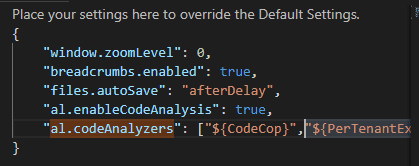
In Visual Studio Code - > User Settings add an entry for al.codeAnalyzers token like below:
 Without this flag turned on your extension compiles.
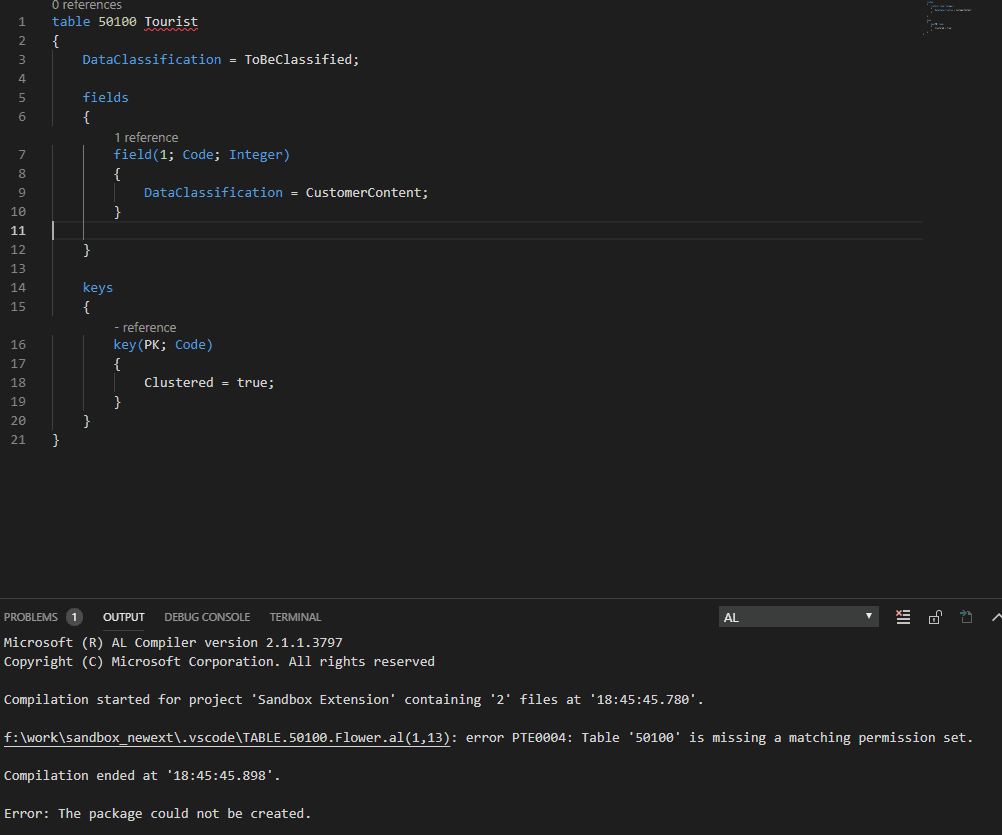
If you do set PerTenantExtensionCop and if you’re missing Permissions.xml, you’re going to get a compile error:
Without this flag turned on your extension compiles.
If you do set PerTenantExtensionCop and if you’re missing Permissions.xml, you’re going to get a compile error:
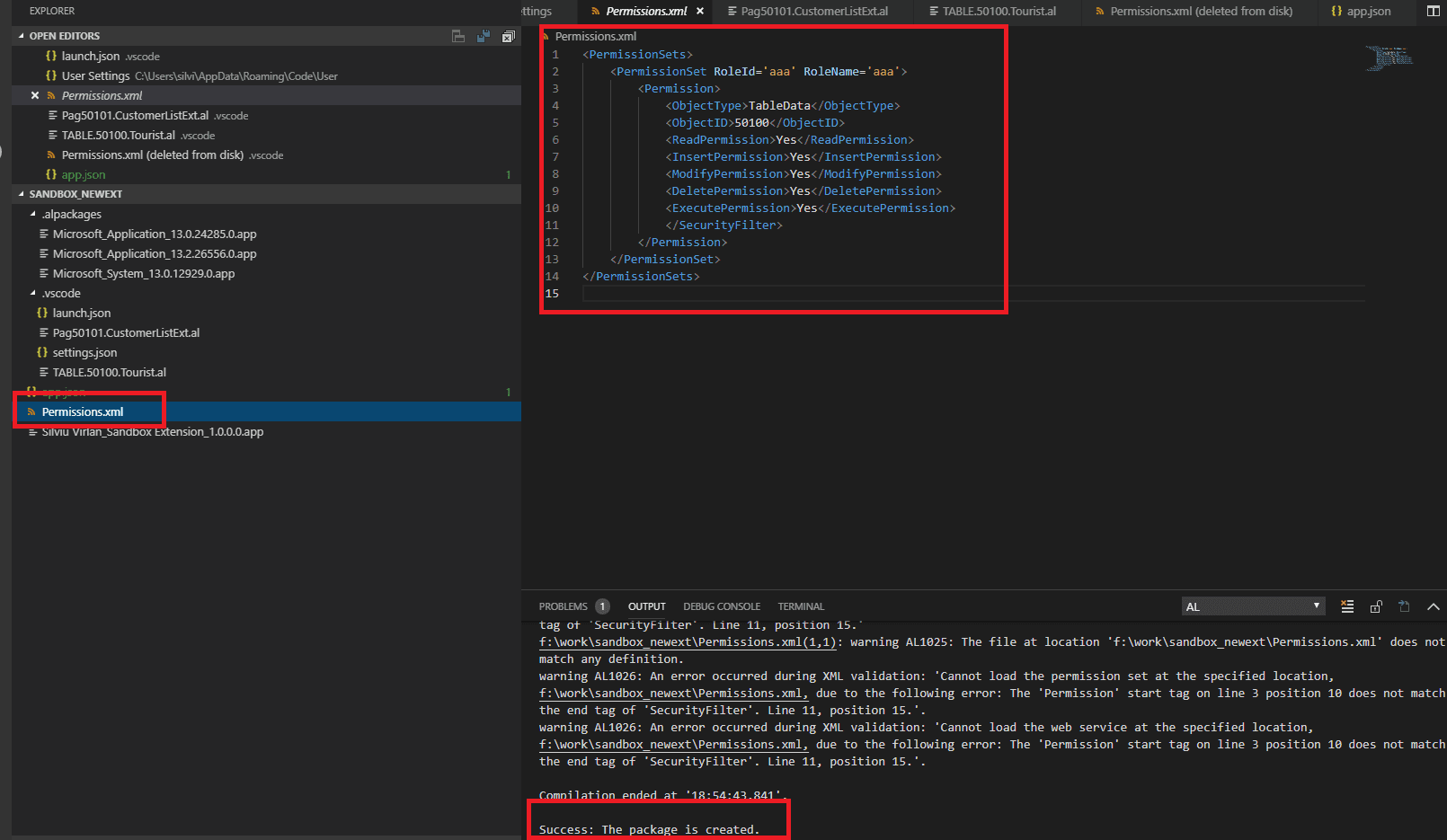
 By Adding in the project root a file Permissions.xml the error is solved:
 More reading on code analyzers here.
Original post here.
More reading on code analyzers here.
Original post here.
Still on NAV? I move NAV and C/AL code to Business Central, and I check your code first so you know what to expect. NAV to BC migrations →