Render image and URL in Business Central with UserControlHost page type
With Business Central 2025 wave 1 we get a new page type: UserControlHost.
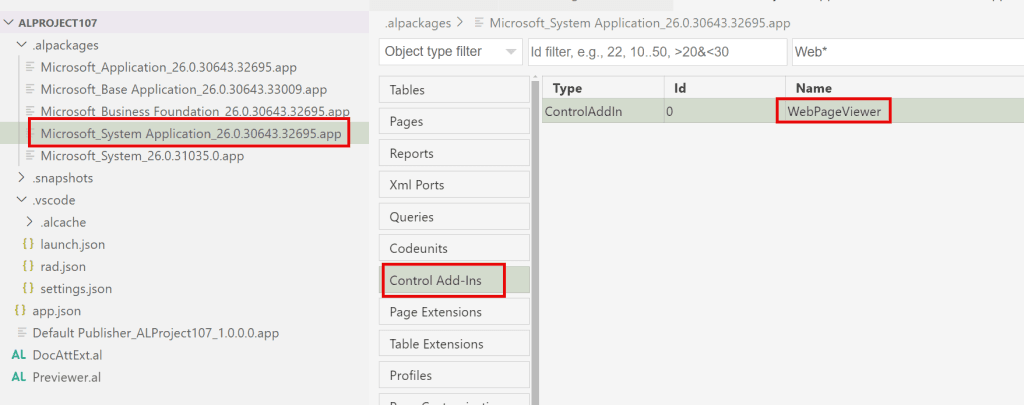
These type of pages can only host one control in the content area, of type UserControl and you can use a pre-defined system control WebPageViewer:
There are a few restrictions for UserControlHost pages:
1. SourceTable property not available for page of type UserControlHost
2. Pages of type UserControlHost must specify exactly one control of type usercontrol in the Content Area
3. Pages of type UserControlHost do not support actions
In my example I will use the predefined user control WebPageViewer and will explore in the video below two of its methods:
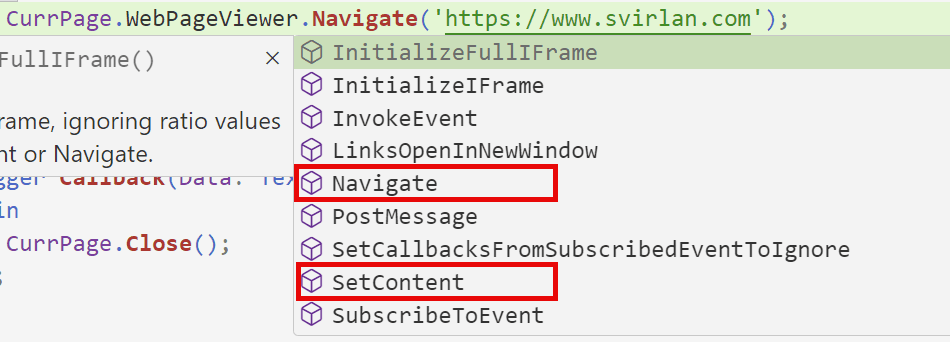
Navigate alows to navigate to a URL.
Note: Not all URLs will successfully render in our control. I tried even www.microsoft.com and it failed to load, while my blog site www.svirlan.com loaded.
SetContent allows for loading inside the control of html code. In my video and in the github repo you can learn how to load an image.
Please visit the pages of fellow professionals that wrote before me about this new page type and user controls:
Search Results for “UserControlHost” | Dynamics 365 Lab
Search Results for “WebPageviewer” – James Pearson
========================================================
Buy my book:
https://leanpub.com/BCLedgerEntriesInsights
Download pdf sample:
https://svirlan.com/wp-content/uploads/2025/01/BCLedgerEntriesInsights-sample.pdf
========================================================
Need an AL extension built, or one fixed that does not work right? I write AL for companies and for other partners. AL development →